

Quickstart with ChatGPT
Connect ChatGPT to Pliant in about five minutes. For other tools, see Set Up by AI Tool.
A Pliant admin does steps 1 and 2 once for the organization. Every member then does steps 4 and 5.
Set up with one prompt
Paste this into a new ChatGPT chat and ChatGPT walks you through every step:
Set up Pliant MCP for me. Fetch https://customer-api.getpliant.com/docs/mcp-agent-setup.md and follow it.1. Turn on the Pliant MCP module
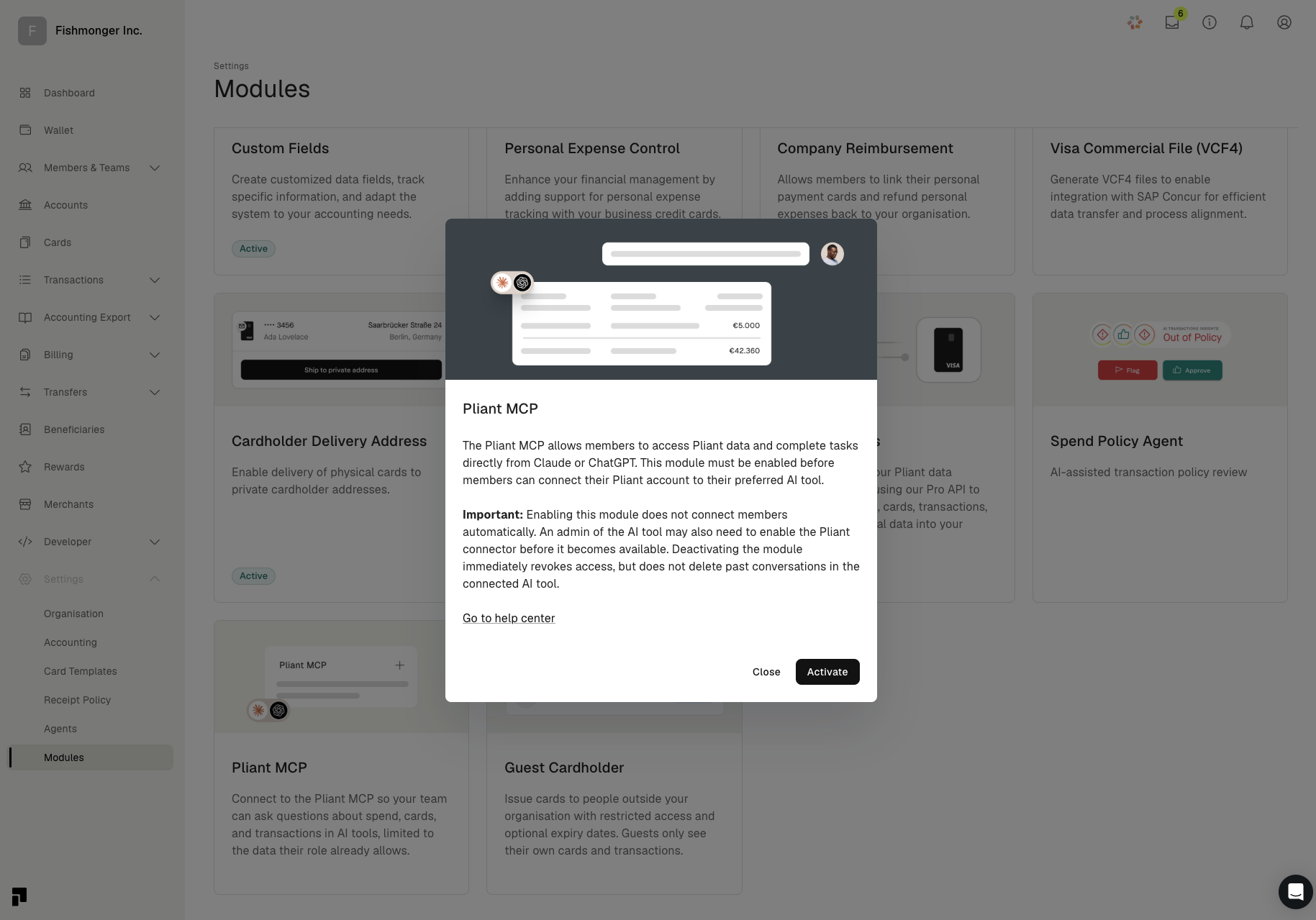
In Pliant, open Settings > Modules, click the Pliant MCP tile and click Activate. The tile then shows Active.
2. Copy the server URL and credentials
Open Developer > MCP and pick ChatGPT from the dropdown. Copy the Server URL, the Client ID and the Client Secret. Owners and admins see this page. If you can't find it, ask one of them or contact Pliant support.
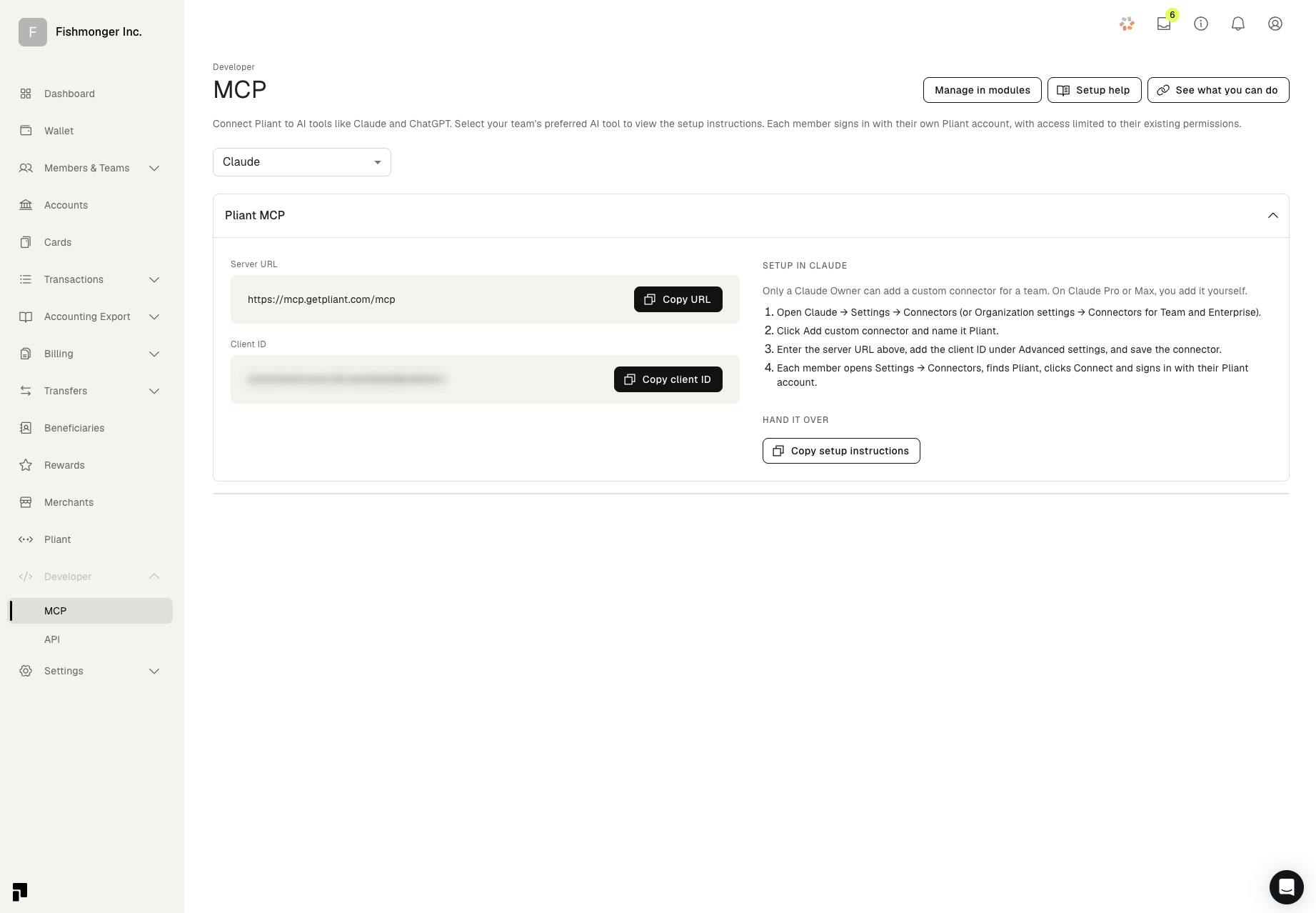
Keep the Client Secret privateTreat it like a password. Paste it only into ChatGPT's settings, never into a chat, a ticket or a shared document.
3. Add Pliant as a custom MCP server
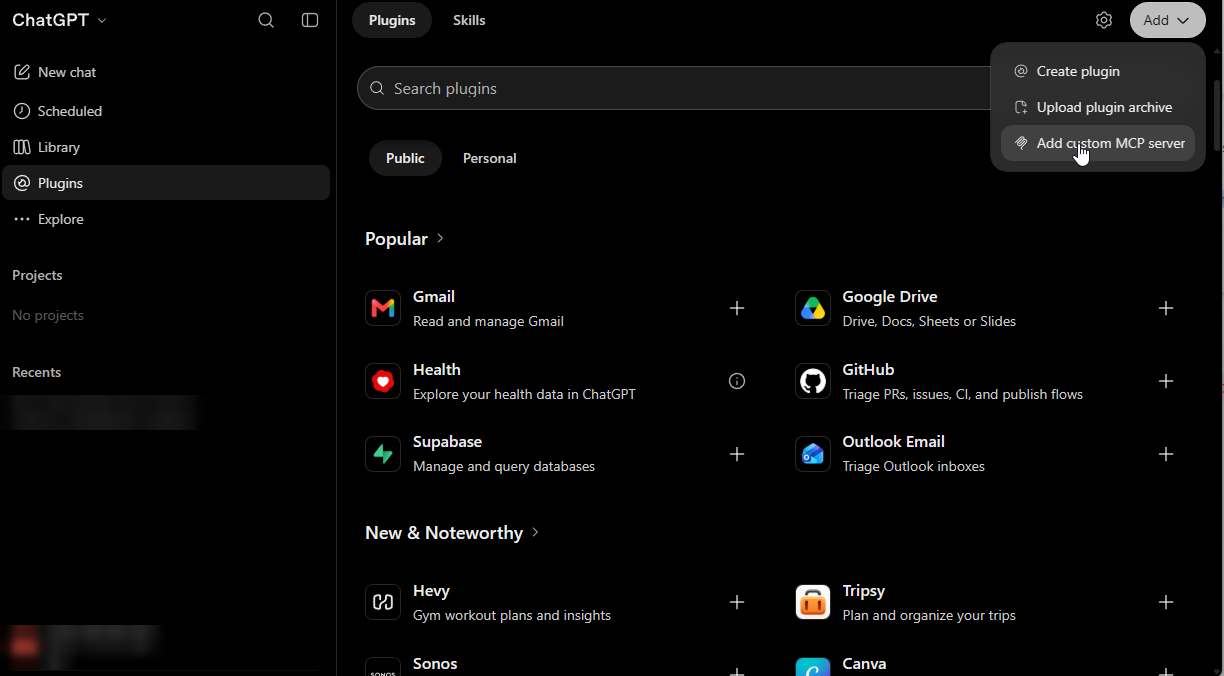
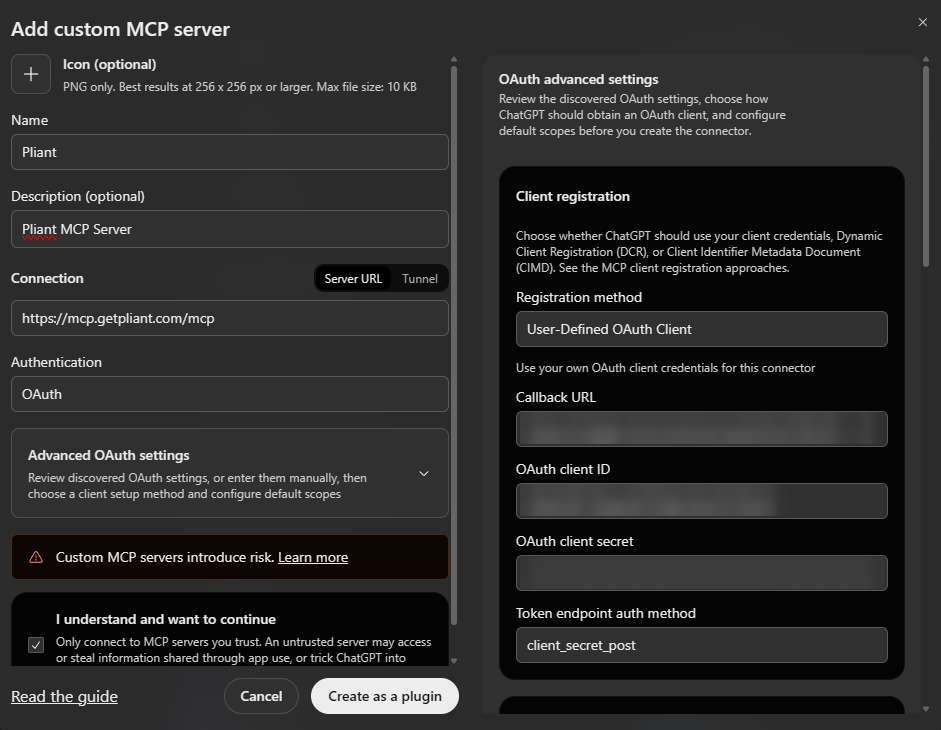
In ChatGPT, open Plugins, click Add, then Add custom MCP server. In a Business, Enterprise or Edu workspace, an admin may have to allow custom MCP servers first.
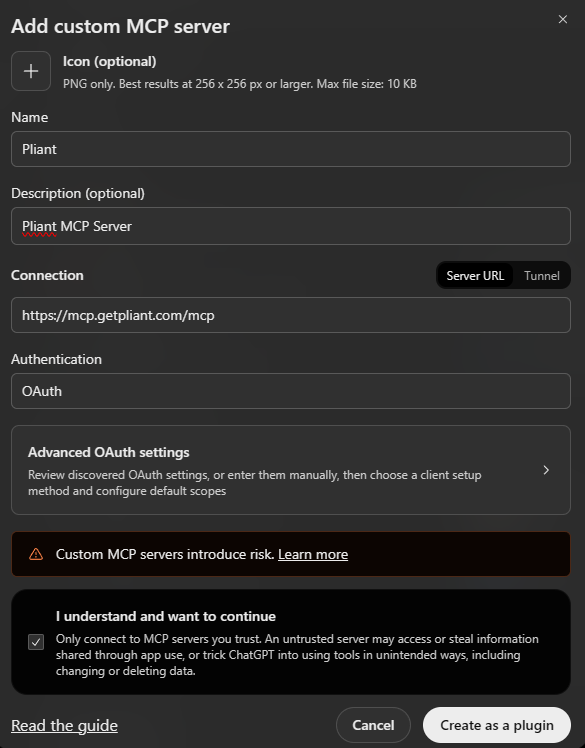
Name it Pliant, keep Server URL selected, paste the server URL and set authentication to OAuth.
Open Advanced OAuth settings and set the registration method to User-Defined OAuth Client. Paste the Client ID and the Client Secret, keep the other values as shown, tick I understand and want to continue and click Create as a plugin.
4. Connect and approve
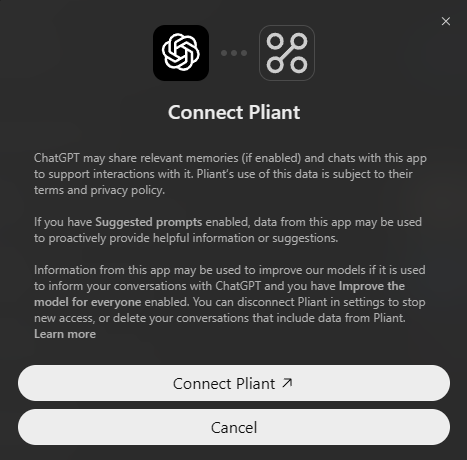
Click Connect Pliant, sign in with your Pliant account and approve. ChatGPT gets exactly the permissions your Pliant role already has.
If sign-in fails with "Callback URL mismatch", copy the Callback URL from Advanced OAuth settings and send it to Pliant support.
5. Ask your first question
In a new chat, turn on Pliant from the tools menu and try:
- "What can Pliant MCP do for me?"
- "Which of my transactions from this month are missing a receipt?"
- "What did we spend on software last quarter, by merchant?"
ChatGPT asks for your approval before it changes anything in Pliant.
Related
Updated about 5 hours ago